Features
Everything melancer does, and where it stops
Time tracking for freelancers, reports your clients can open themselves, invoices that hold up, and the figures your tax advisor needs. Every picture on this page is the real app, with made-up clients.
Time tracking for freelancers, in the browser
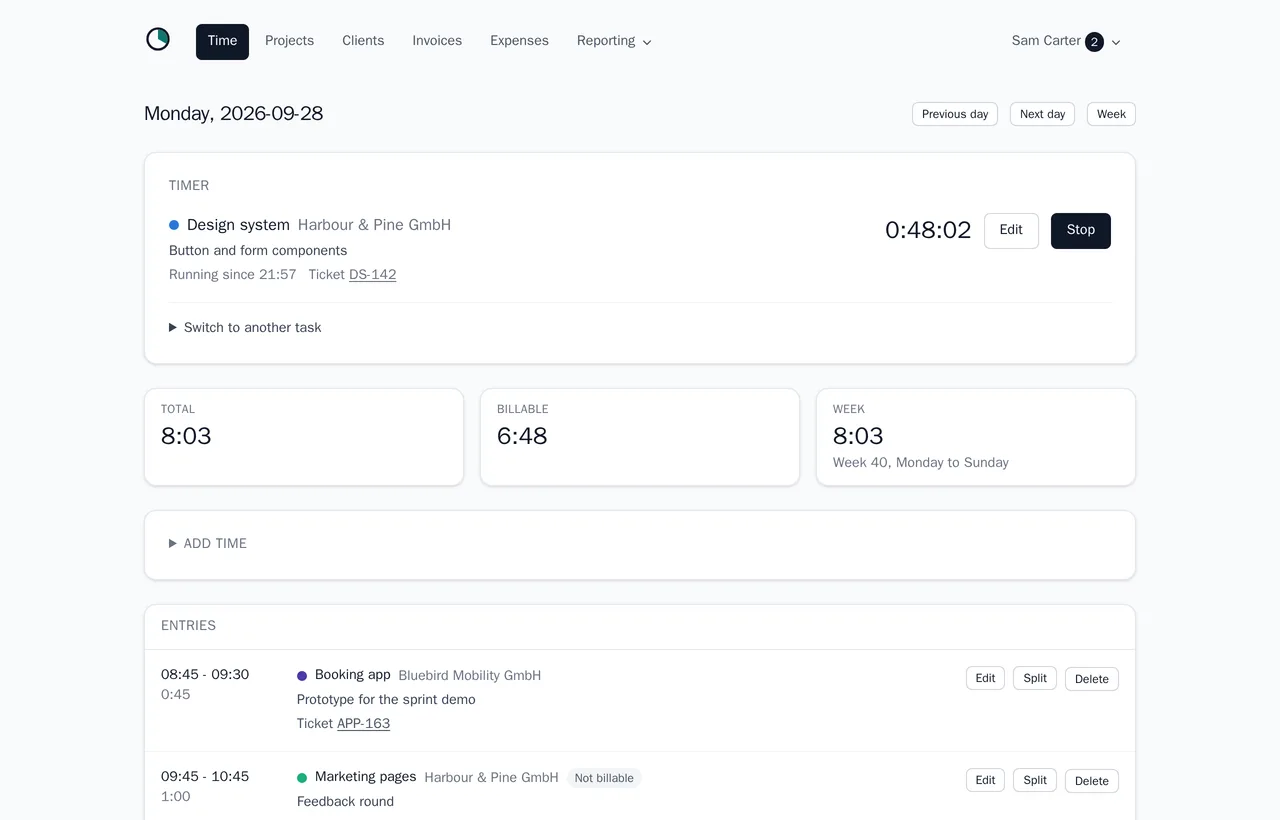
Melancer starts from the hour. Start the timer when you sit down, switch it to another task when the phone rings, and stop it when you are done. It keeps running when you close the tab, and the elapsed time is on the page without installing anything.
For the afternoon you forgot to start it, write the hours down afterwards. An entry can be edited, split in two at a given time, or merged with the one next to it, and melancer refuses entries that overlap, so a day never adds up to more hours than it had.
Every entry belongs to a project, and every project to a client, so each hour already knows who pays for it. Add a ticket reference such as #214 or SHOP-42, and it becomes a link into GitHub, GitLab, Jira, Linear or your own tracker.
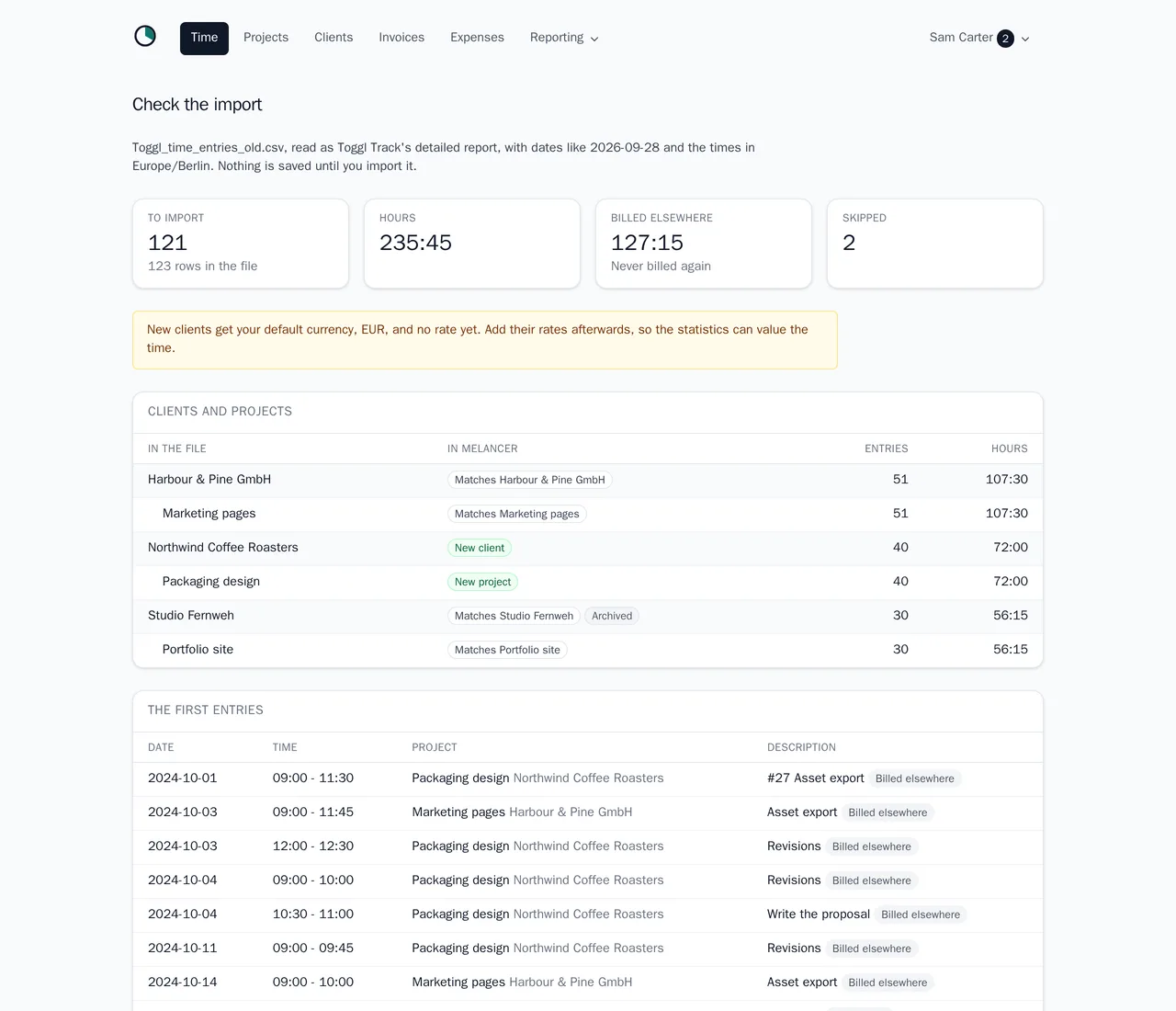
Coming from Toggl Track, Clockify or Harvest? Bring your history with you. Upload the detailed report your old tool exports as CSV, and melancer shows what it would bring in before anything is saved: which of your clients and projects each name matches, which ones are new, and which rows it leaves out and why. Time the old tool already invoiced is marked as billed elsewhere, so it counts in your statistics but never lands on an invoice twice, and a whole import can be undone in one step.
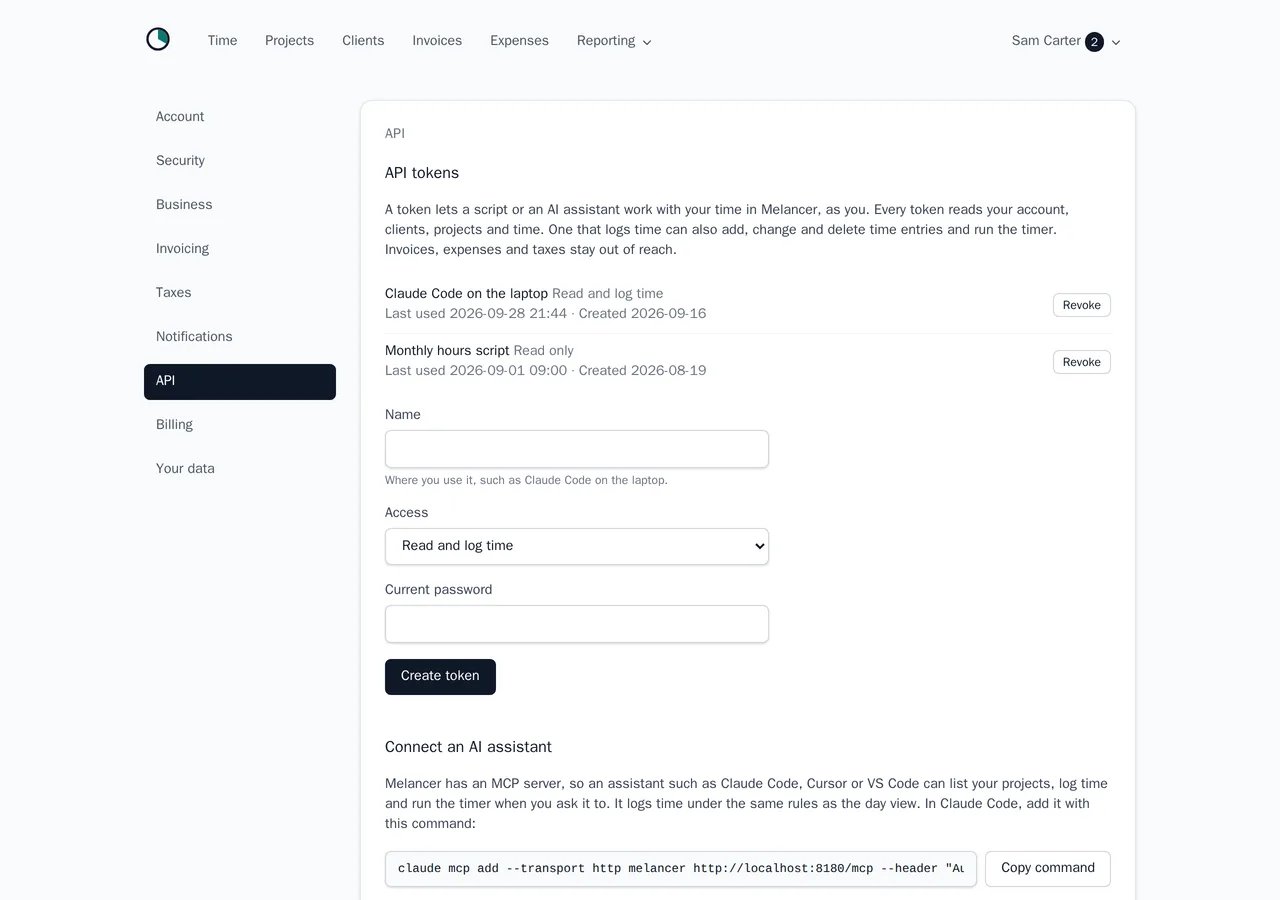
You can also log time without opening melancer at all. Its MCP server lets an AI assistant such as Claude Code, Cursor or VS Code log the hours you tell it about ("two hours on SHOP-42 for the migration"), start and stop the timer, and tell you what you tracked this week. A JSON API does the same for your own scripts. Both follow the same rules as the day view, and the token you create under Settings decides whether they may only read or also log time.
- One running timer, and switching to another task in one step.
- Add, edit, split and merge entries; overlaps are refused.
- Ticket references that link to your issue tracker.
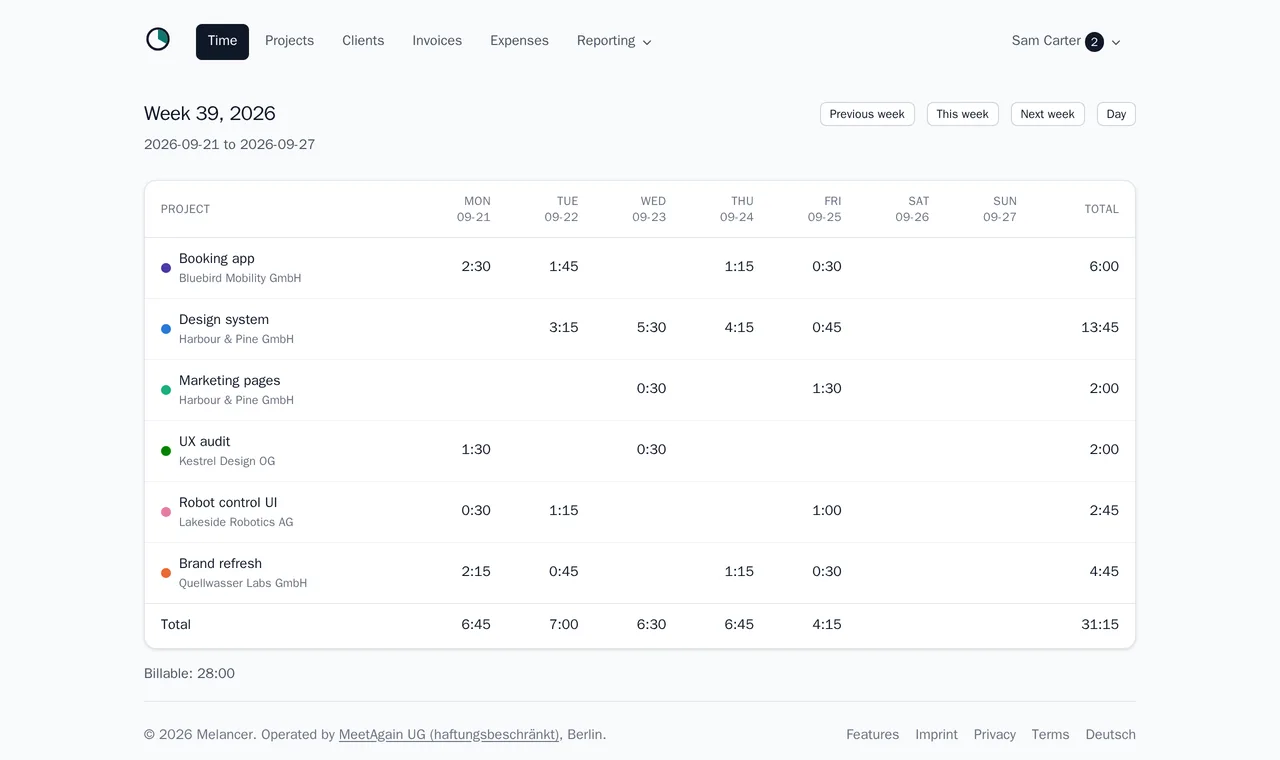
- A day view, a week grid per project, and non-billable time that still counts as worked.
- Dates and times in your own time zone.
- Time tracking from your AI assistant over MCP, or from a script over the API.
- Switching from Toggl, Clockify or Harvest: import their CSV export, with a preview and an undo.
Projects, clients and budgets
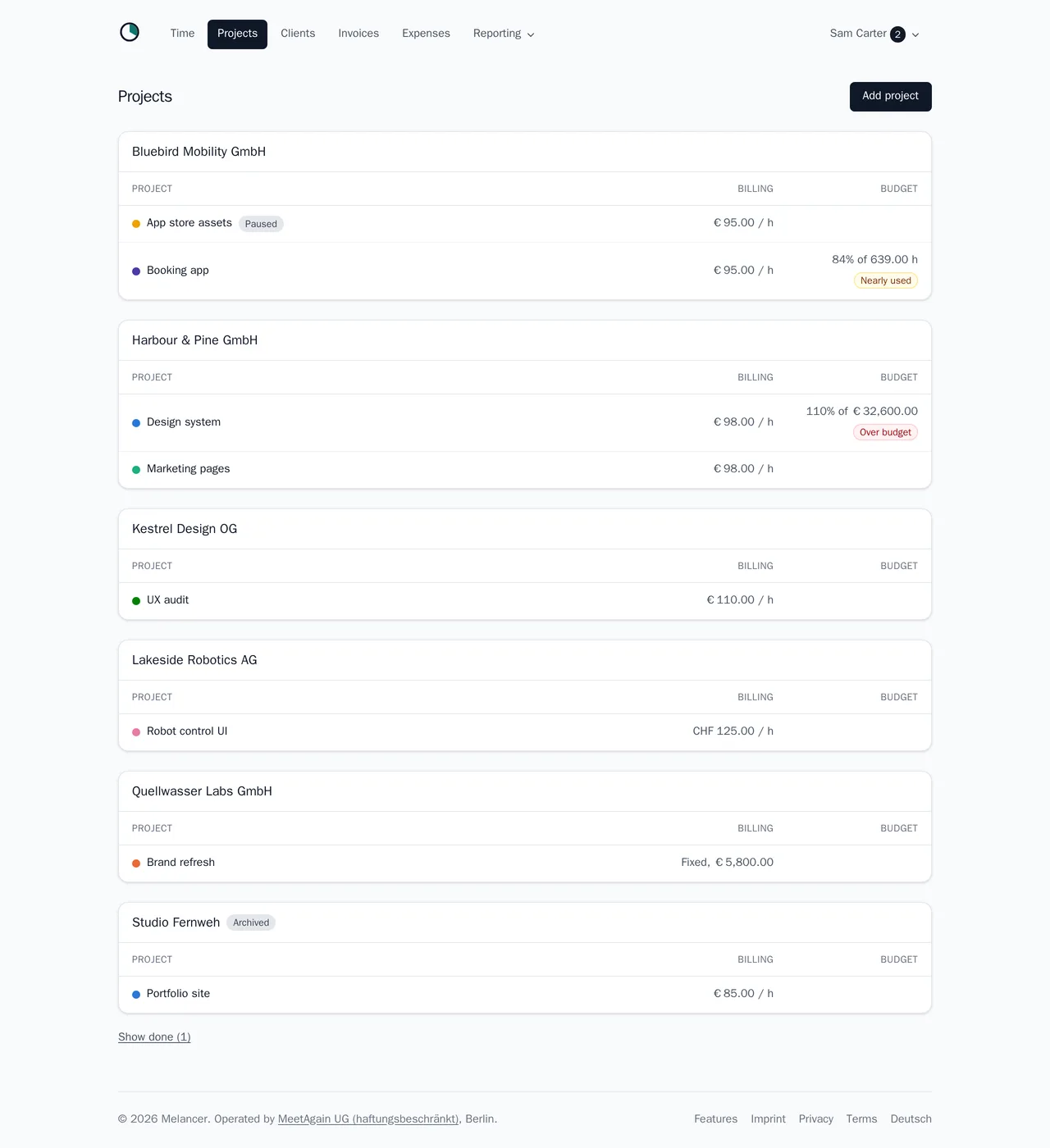
A client holds the billing address, the VAT ID, the currency and the hourly rate. A project can take its own rate, or a fixed price, and a colour you will recognise across the app.
Give a project a budget in hours or in money, and melancer shows how much of it is used. It warns when a project nears its budget and marks it once it runs over, before the invoice turns that into an awkward conversation.
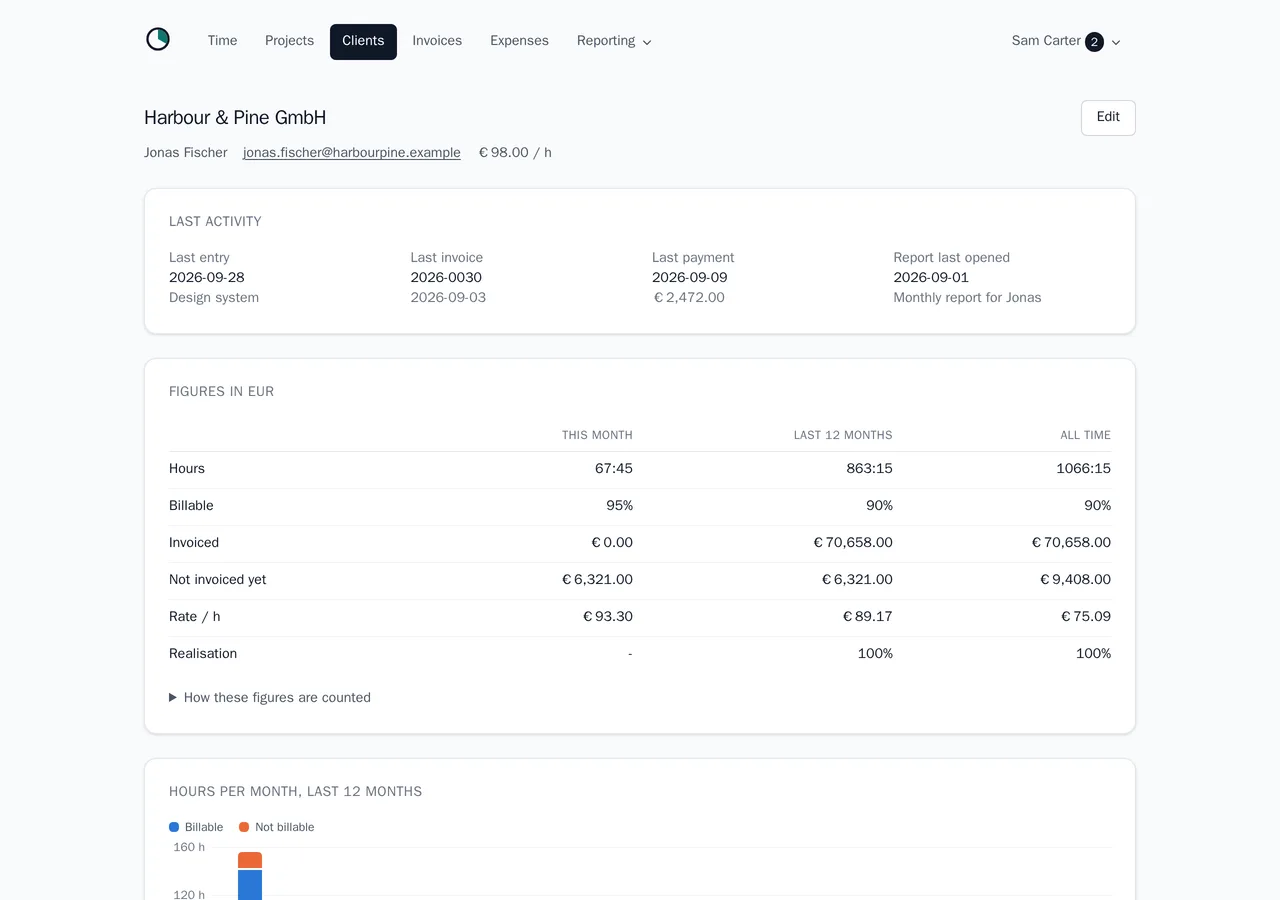
Each client and each project has a page of its own: the last entry, the last invoice and payment, when the client last opened their report, and the hours and money of this month, the last twelve months and all time.
- Hourly or fixed-price projects, paused or done when the work ends.
- Budgets in hours or money, with a warning before they run out.
- Clients abroad, with their VAT ID and their own currency.
- Archive a client you no longer work for, without losing their history.
A timesheet your client opens themselves
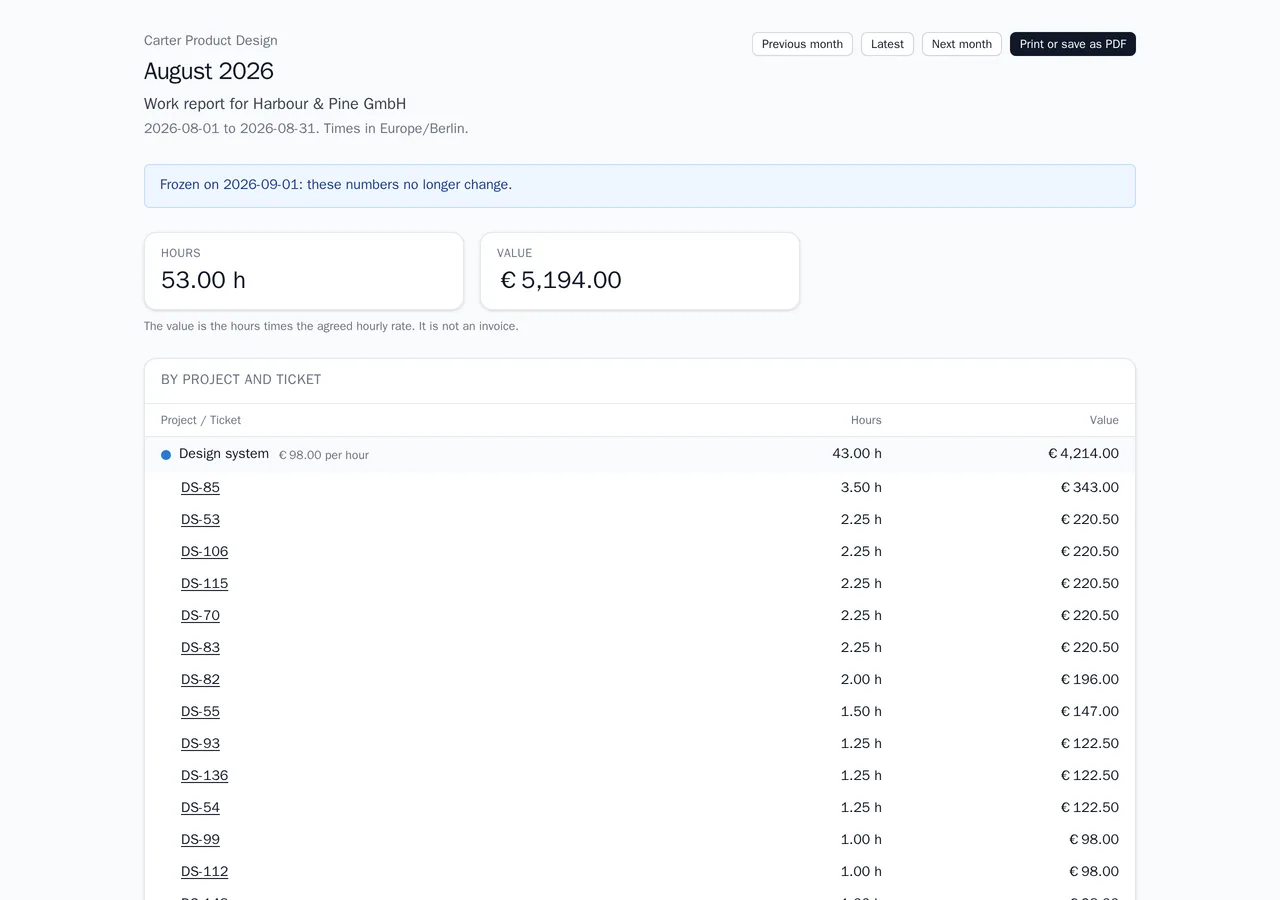
An invoice should never be the first time a client sees a number. A report link shows one client their own hours for a week or a month: per day, per project and per ticket, and if you want, the amounts and the budget.
The client needs no account. They open the link, see the current period and the ones before it, and can print it or save it as a PDF. Once a period is over, the report is frozen as the client first saw it, so the number they agreed to cannot change afterwards.
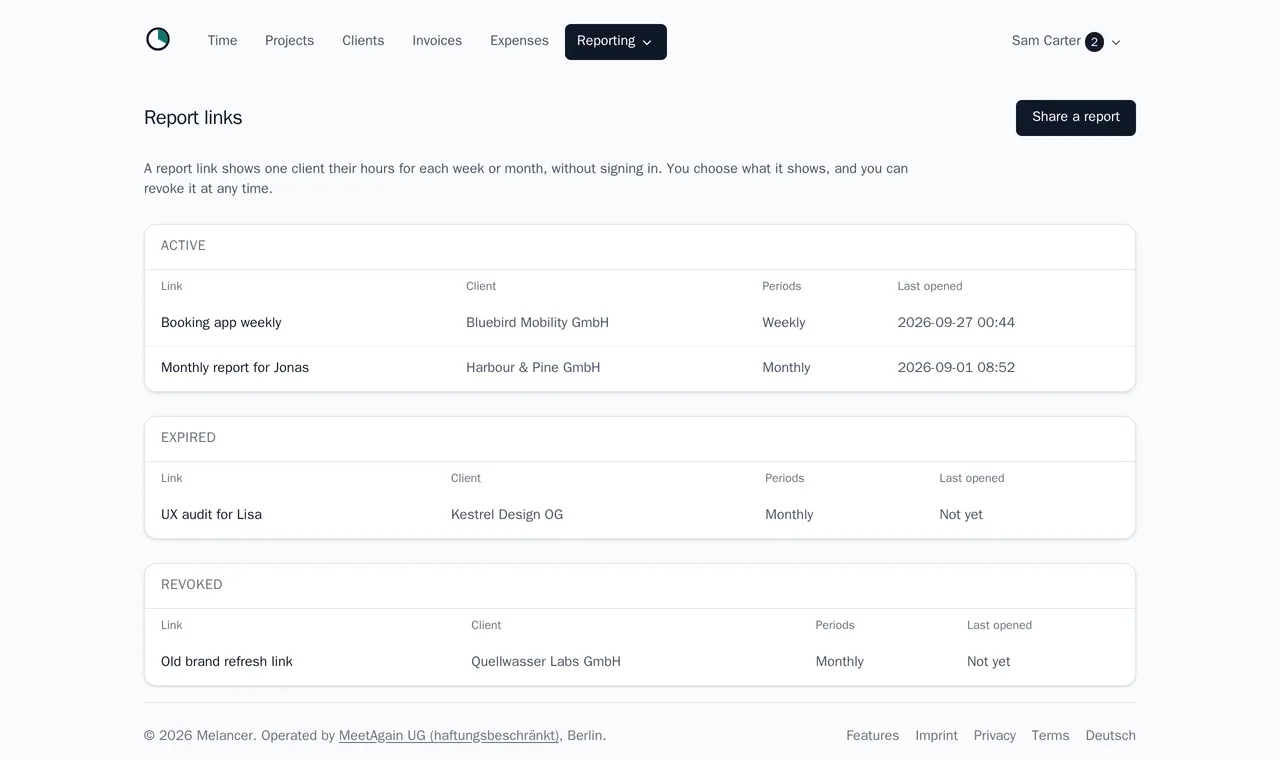
The link shows that client and nothing else in your account. You can revoke it or let it expire, it sets no cookie, and it tells search engines to stay away.
- Weekly or monthly, for all of a client's projects or some of them.
- Hours per day, project and ticket; amounts and budget if you choose.
- Frozen at the end of each period, and marked as frozen.
- Revoke, expire, and see when it was last opened.
Invoices from your tracked time
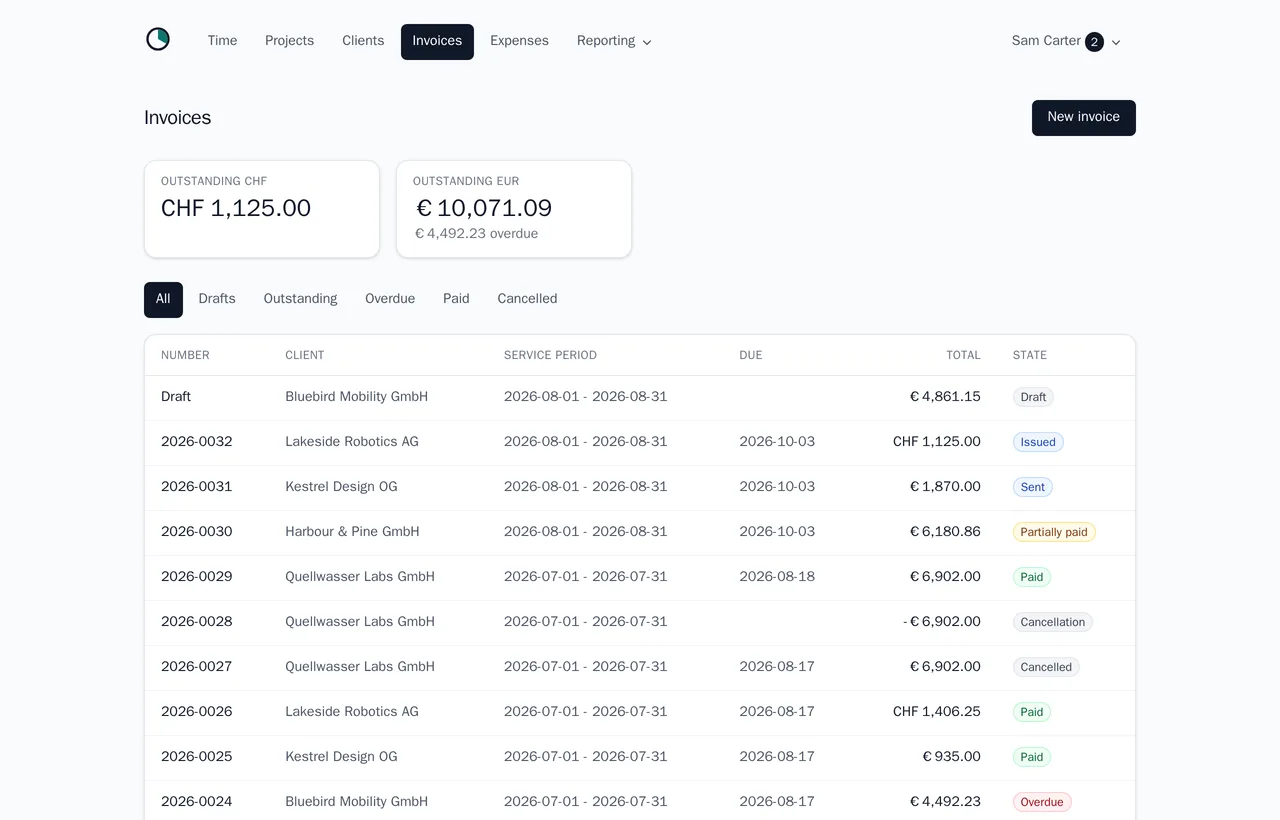
Pick a client and a period, and melancer drafts the invoice from the hours not yet billed, grouped by project, ticket or day. Add your own flat lines, and costs you want to pass on come along from the expenses.
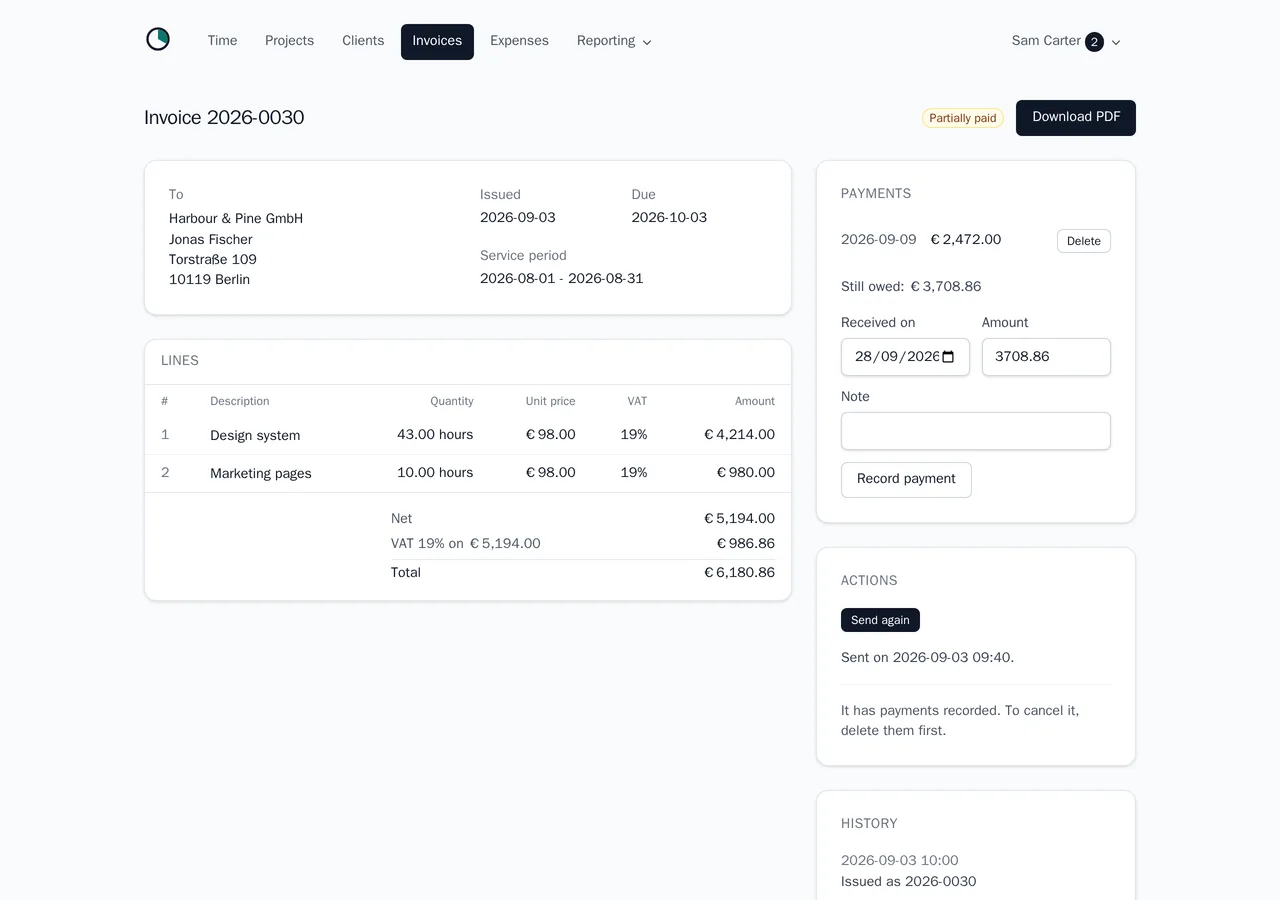
The invoice carries everything § 14 UStG asks for, with a number that is never skipped or reused. Issuing it stores the PDF with its checksum, and from then on it cannot be quietly edited: a mistake is corrected with a cancellation invoice, the way the GoBD expect.
Send it by mail from melancer with your own text, in German or English, and replies reach you. Record payments and part payments as they arrive, and melancer shows what is overdue.
- Drafts from unbilled hours and reimbursable expenses.
- Gap-free numbers in your own pattern.
- Reverse charge for business clients in the EU, and invoices in CHF or another currency.
- Sent, paid, part paid, overdue and cancelled, with a history of each step.
- Kleinunternehmer invoices under § 19 UStG without VAT.
Expenses with their receipts
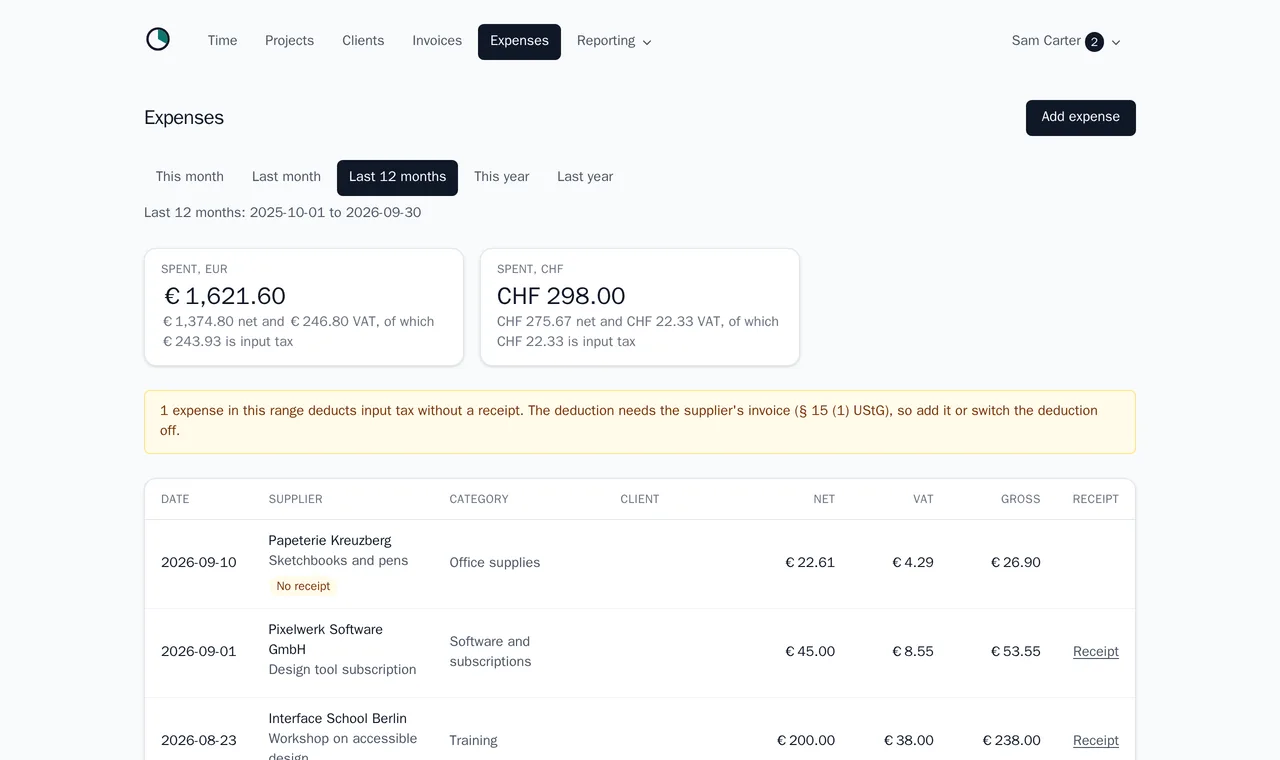
Write down what the business spent as the receipt reads it: the supplier, the gross amount and the VAT rate. Melancer works out the input tax, and keeps the receipt itself, a PDF or a phone photo, with the entry.
Mark a cost as not deductible, such as the private share of a phone bill, and it stays out of the input tax. Mark it as reimbursable for a client, and the next invoice for that client puts it on a line.
- Receipts as PDF or image, kept with the expense.
- Input tax worked out from the gross, in euros or another currency.
- Costs passed on to a client on their next invoice.
- Categories that map to the DATEV accounts.
Which client actually pays
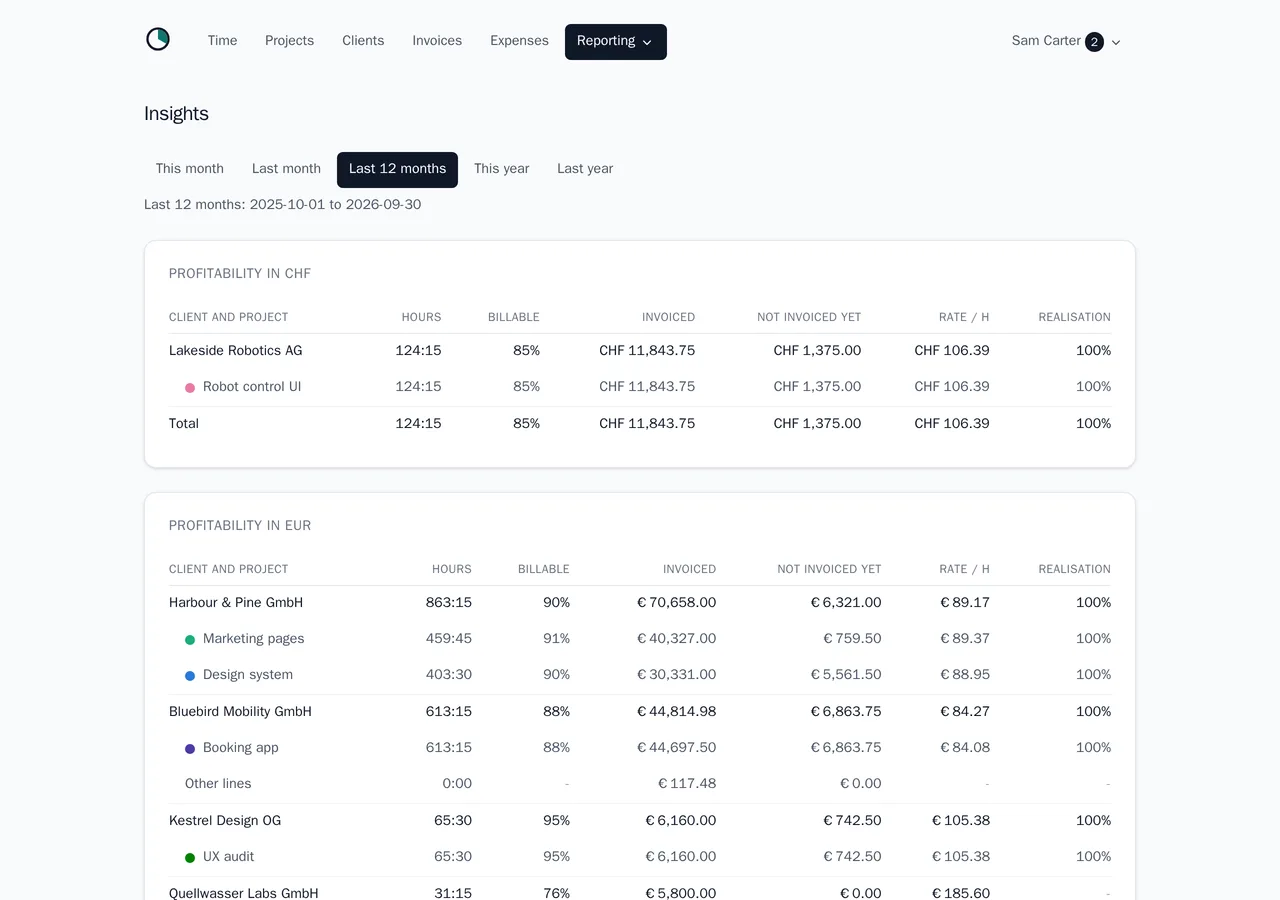
The hourly rate you agreed and the one you really earn are rarely the same number. Melancer shows per client and per project the hours, the billable share, what was billed and what is not billed yet, and the effective rate that comes out of it.
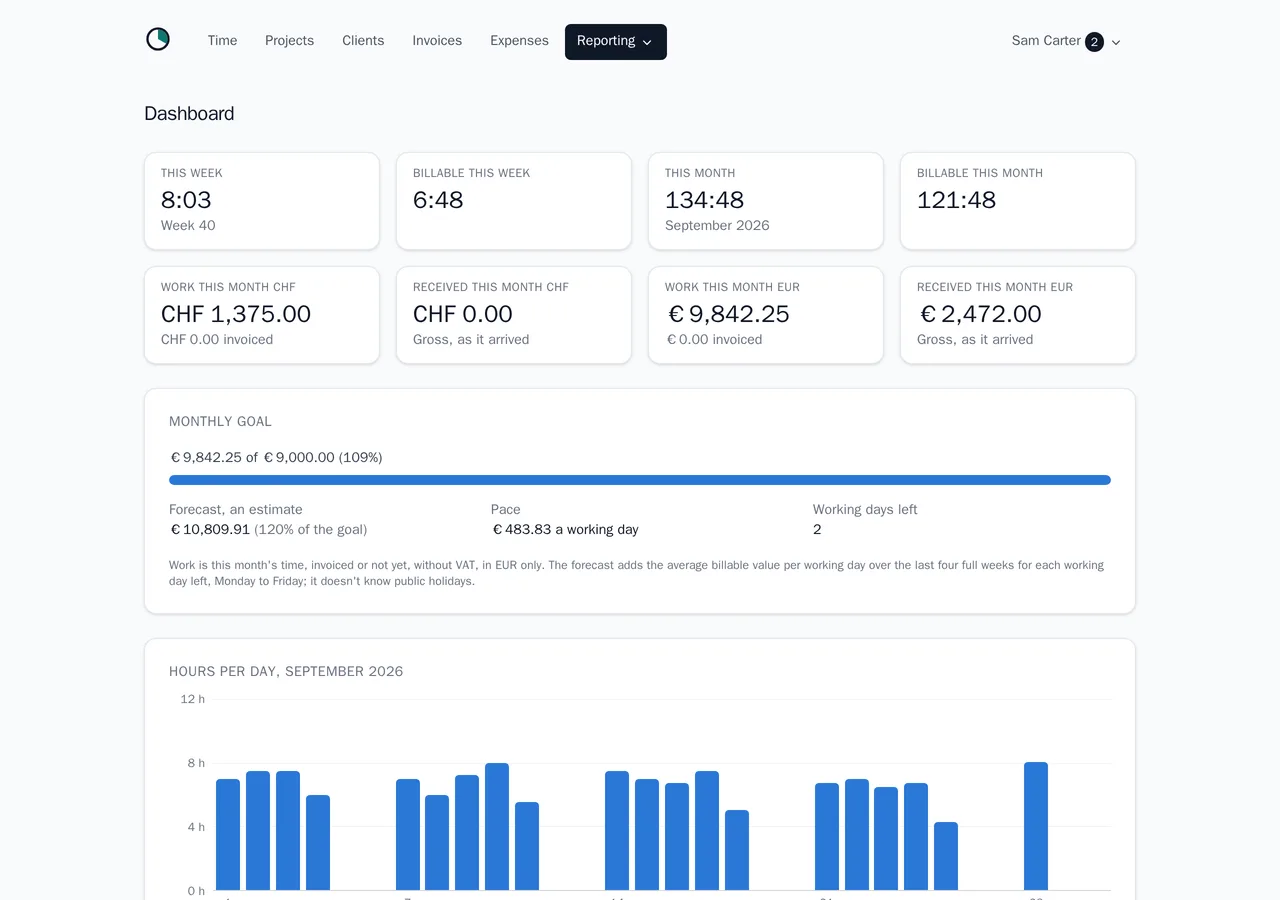
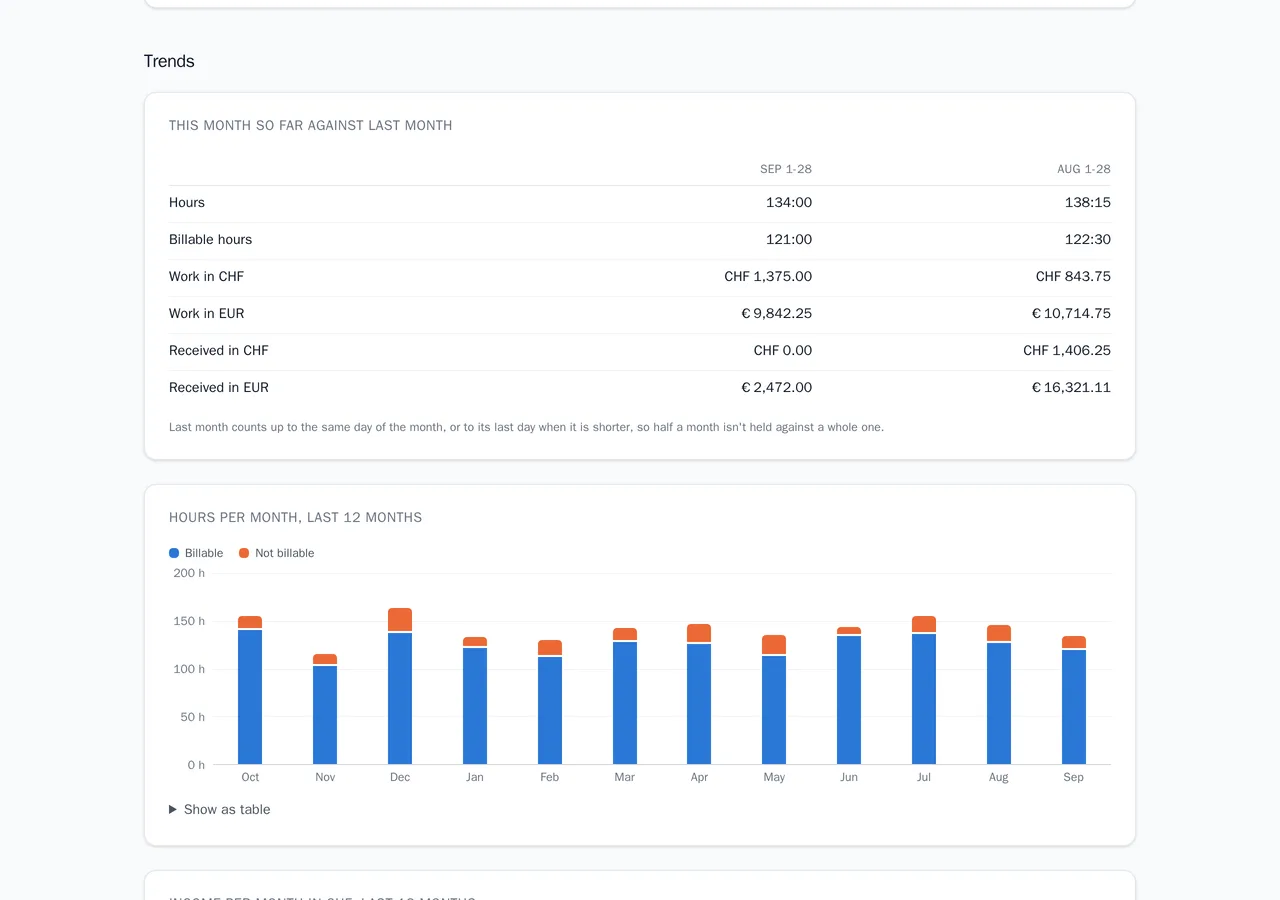
The dashboard follows the month: the hours of the week and the month, the work against a monthly income goal you set, and a forecast of where the month will end. Further down, the trends put this month next to the last and show the last twelve months of hours and income.
- Effective hourly rate and billable share, per client and project.
- A monthly income goal with a forecast.
- This month against the last, and twelve months of hours and income.
- Each currency on its own, never converted behind your back.
The VAT figures and the DATEV export
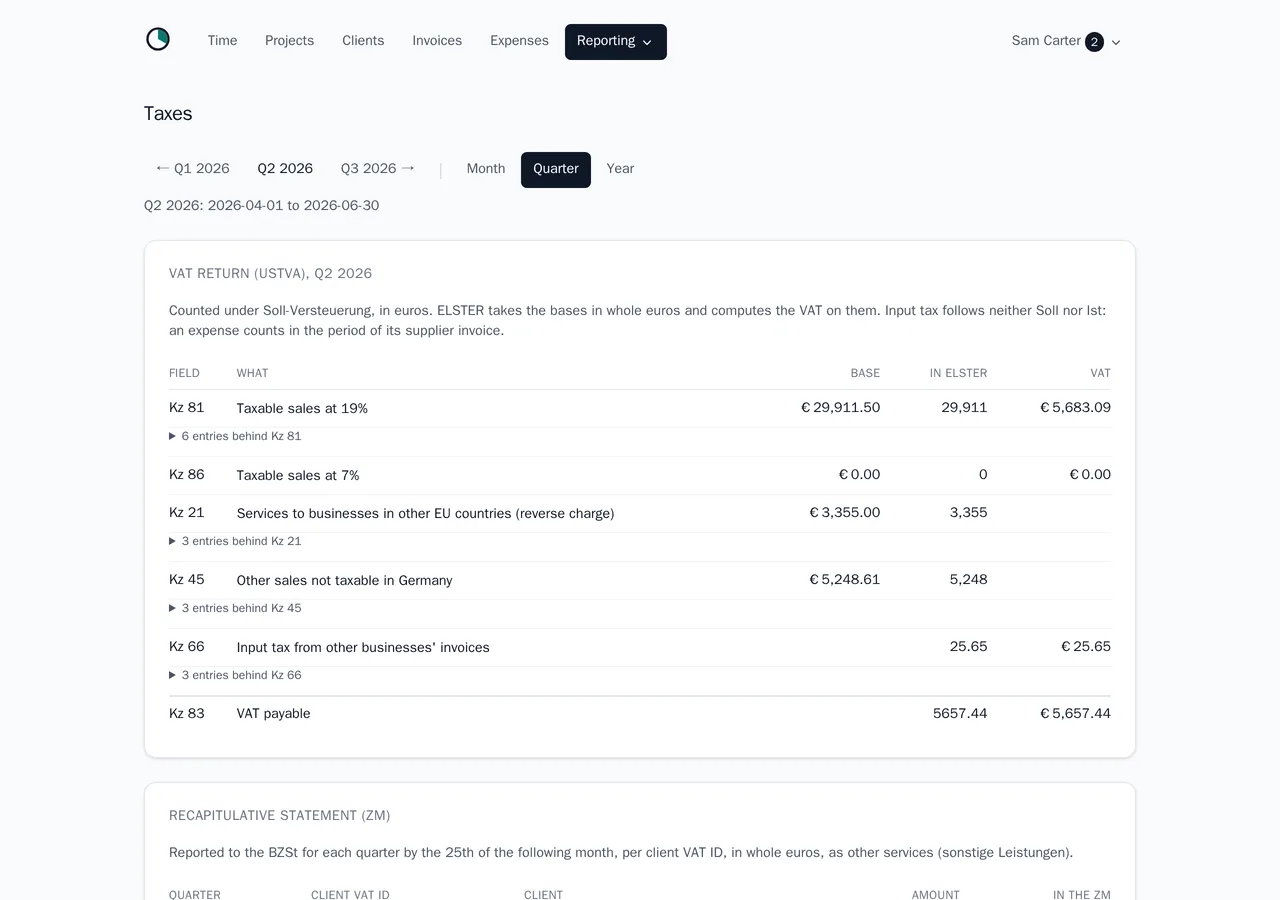
Melancer prepares the figures a German freelancer has to file, in the shape the form asks for: the VAT return with its real Kennziffern, under Soll or Ist taxation, per month, quarter or year, and the recapitulative statement (ZM) for reverse-charge clients. Each figure opens to the invoices and expenses behind it.
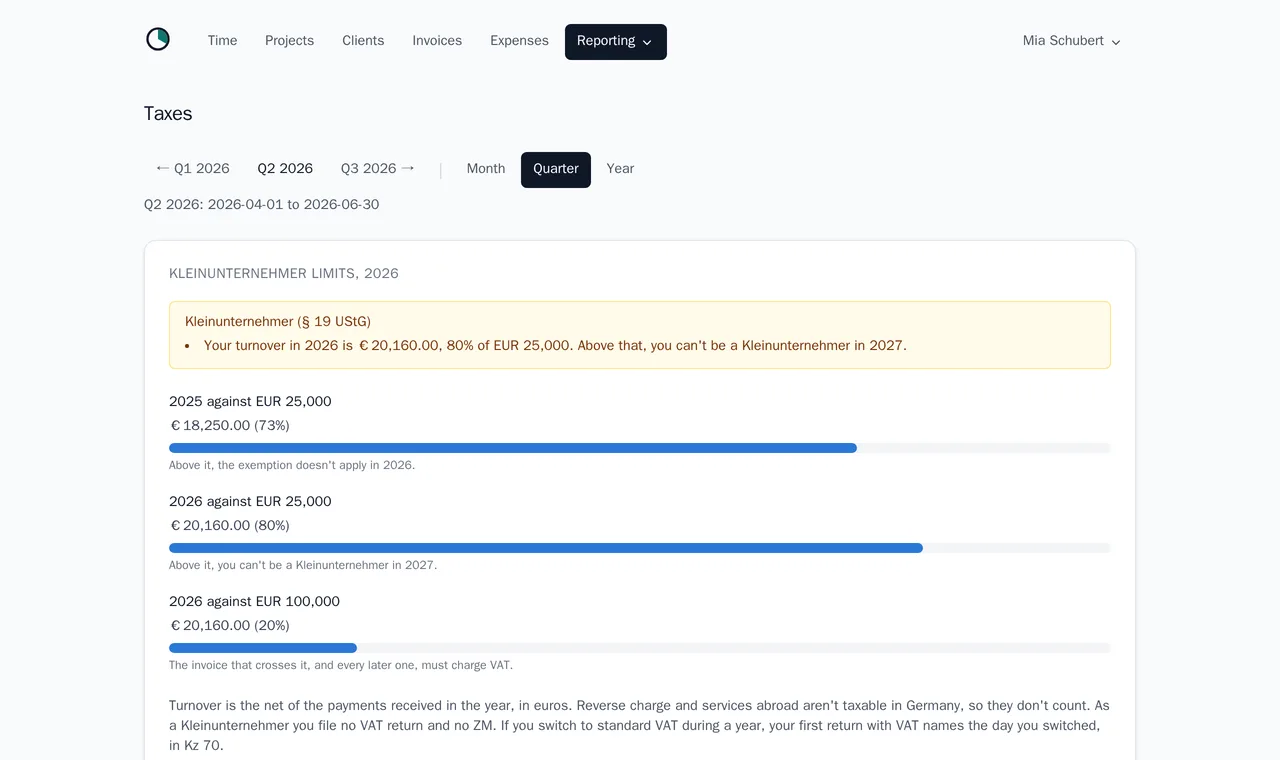
As a Kleinunternehmer under § 19 UStG, you see this year's and last year's turnover against the limits, with a warning well before a limit is reached. For an amount in another currency, melancer uses the monthly exchange rate you enter from the Federal Ministry of Finance's table.
At the end of a period, take a DATEV archive to your tax advisor: the bookings with the invoice PDFs and the receipts inside. Melancer is not a tax advisor, prepares figures rather than returns, and files nothing with the tax office.
- The VAT return figures, Soll or Ist, with the entries behind each one.
- The ZM for business clients in other EU countries.
- The Kleinunternehmer limits, with a warning from 80%.
- A DATEV export per period, with PDFs and receipts.
Your data, and who signed in
Melancer is hosted in Germany and loads nothing from anyone else: no analytics, no pixel, no third-party script, and so no cookie banner. Your whole account exports as JSON with your files in one download, and deleting it removes everything at once.
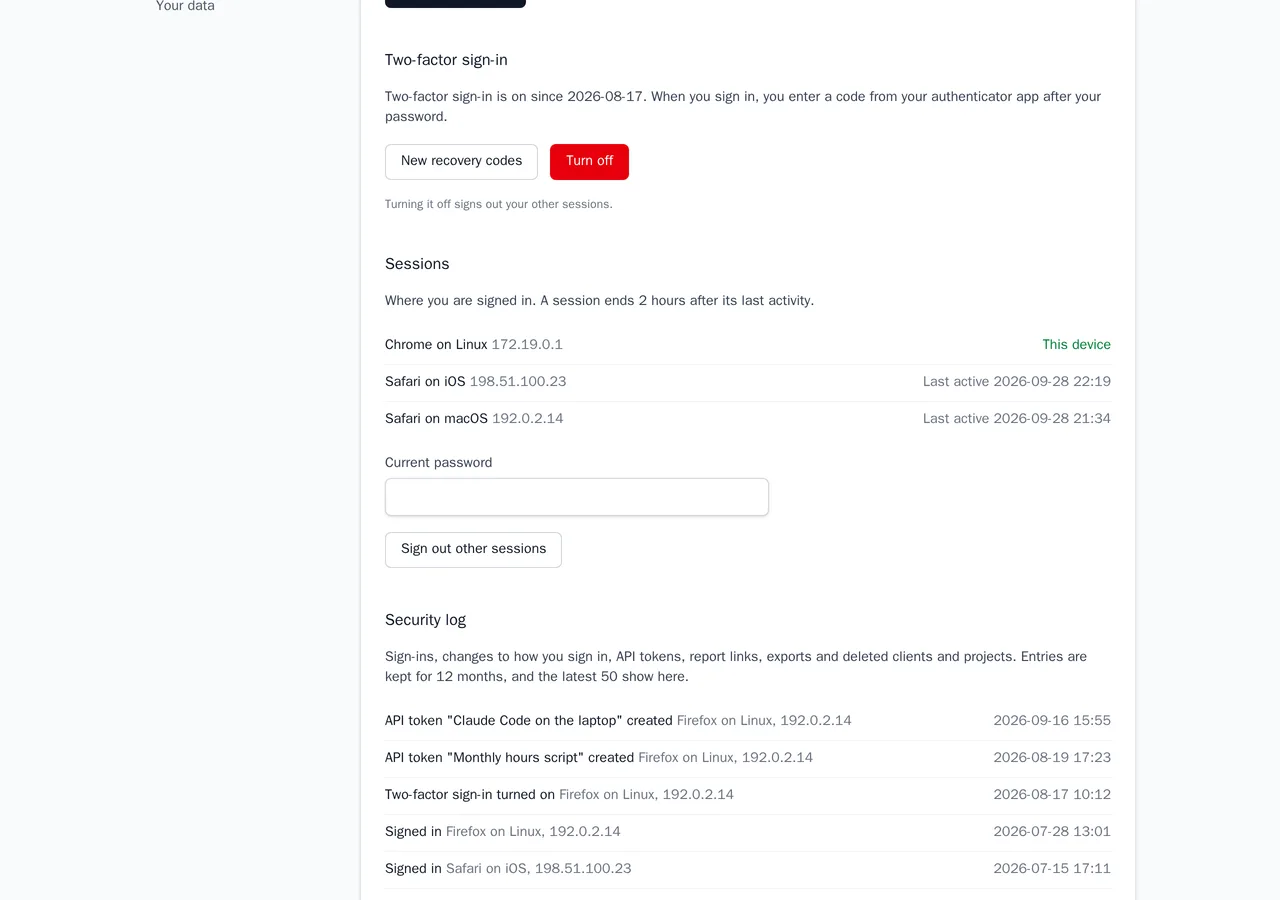
Protect the account with two-factor sign-in through any authenticator app, with recovery codes for the day the phone is gone. See where you are signed in and sign the other devices out, and read a security log of sign-ins, failed attempts, exports and new report links.
- Two-factor sign-in with recovery codes.
- Your sessions, and signing out every other device.
- A security log kept for twelve months.
- The full export, and deletion in one step.
- A weekly summary, overdue reminders and budget alerts, by mail if you want them.
What melancer does not do
Melancer does not do your bookkeeping, your EÜR or your bank reconciliation. It does not file anything with the Finanzamt. It is not a CRM and not a project management tool, it takes no payments, and it is not your tax advisor. It tracks the hour, proves it to your client, bills it correctly, and hands the rest over.
- Bookkeeping and the EÜR
- Bank feeds and reconciliation
- Filing through ELSTER
- A CRM, leads or a pipeline
- Tasks, kanban and Gantt
- Taking your clients' payments
- Payroll and dunning
- Tax advice
Works with what you already have
Every place melancer meets another tool is a place it does not have to grow a feature. That is the plan, not an afterthought - which is also why this list is honest about what is not built yet.
- DATEV export for your tax advisor Available One archive per period, with the invoice PDFs and the receipts.
- Import from Toggl, Harvest and Clockify Available The way in, if you are moving off a timer that stops at the timer: your history comes along, with a preview first.
- Push invoices to Lexware Office On the way Today its users upload the export's PDFs by hand.
- Calendar import On the way Turn a meeting you already booked into a tracked hour.
- A REST API and an MCP server Available Log your hours by telling your AI assistant, and let a script do what melancer never will.
- Webhooks On the way So the integrations melancer never builds can hear about new hours and invoices as they happen.
Questions about the features
Can I turn my tracked time into an invoice?
Yes. Pick a client and a period, and melancer drafts the invoice from the hours not yet billed, grouped by project, ticket or day. You can add flat lines before you issue it.
Does my client need an account to see their hours?
No. A report link opens without signing in, shows only that client's hours, and is frozen at the end of each period so the numbers cannot change afterwards.
Does melancer work for a Kleinunternehmer?
Yes. Invoices under § 19 UStG carry no VAT and the right note, and the tax page shows your turnover against the limits of this year and last.
Can I invoice clients abroad?
Yes. Business clients in other EU countries get a reverse-charge invoice and appear in the ZM, and a client can be billed in their own currency, such as CHF.
How do I connect Claude or another AI assistant?
Create a token under Settings, API, and add melancer's MCP server to your assistant with it. Claude Code takes one command, which the page shows ready to copy, and Cursor, VS Code and most other assistants take the same address and header. The assistant can then list your projects, log and correct time and run the timer. The connectors on claude.ai sign in another way, which melancer does not offer yet.
Can I bring my hours from Toggl?
Yes, from Toggl Track, Clockify and Harvest. Export the detailed report as CSV, upload it under Time, and check the preview before anything is saved. Time the old tool already invoiced never ends up on a melancer invoice, and an import you regret is undone in one step.
Does melancer file my VAT return?
No. It prepares the figures with their Kennziffern and a DATEV export for your tax advisor. Filing stays with you, ELSTER or your advisor.
Try it with your own hours
Free while melancer is in beta. No card, no seats, and your data exports whenever you want it back.